The Best of Both Worlds
Oct. 6th, 2009 | Posted by buzzadmin
0 comments
Dental practices that have made the leap to Apple hardware and are running a copy of Windows XP in a virtual machine, things are going to get a little brighter. VMware the maker of Fusion for Mac announced today the availability of version 3.0 with Snow Leopard Support.
Highlights include:
- Optimized for Snow Leopard. Built from the ground up for the Mac, VMware Fusion 3 leverages Mac OS X Snow Leopard’s advanced architecture with a new 64-bit core engine and native support for the 64-bit kernel, delivering even better Windows on Mac performance.
Ultimate Windows 7 Experience. VMware Fusion 3 will be the first to enable the full Windows 7 experience, side-by-side with your Mac, complete with Windows Aero and Flip 3D. - Switching Made Easy. VMware Fusion 3 will make it easy for users to bring their entire PC to their Mac in a few easy steps – wirelessly or with a simple Ethernet cable – allowing customers to protect investments in existing Windows software, and to keep using the programs they still need.
- Best-in-Class 3D Graphics. Support for OpenGL 2.1 and DirectX 9.0c Shader Model 3 will enable users to run their favorite 3D Windows games and applications – all without rebooting.
VMware Fusion 3 is now available for pre-order at at vmware.com/fusion at a suggested price of $79.99, with upgrade pricing of $39.99 available to current VMware Fusion users.
Freeze Teeth for the Future
Dec. 16th, 2008 | Posted by Trish Walraven
2 comments
Dear Santa,
This is so hard; I didn’t know who else I could write that could help me in my dilemma. My college finals are over and I recently went to oral surgeon’s office about my wisdom teeth. The plan is to have them taken out right after Christmas. The deal is, they’re not hurting. In fact, they are so buried in the bone that they aren’t even close to my other molars.

The weird thing was when I went to the oral surgeon for a consultation, he told me that when he took the wisdom teeth out, he could send all of them to a cryogenics lab where they would extract my stem cells and freeze them in case I needed them in the future to grow new nerve, cartilage, bone, a liver, or even a new heart.
I thought about it a lot, I really did, Santa. Did my research, too and realized that you’ve got some experience dealing with people who want to deep freeze everything they can touch. Here’s what I came up with:
- The company that my dentist is using is called StemSave. It costs about $700 for StemSave to process and store my wisdom teeth for the first year and $100 per year afterwards. Until I use them or die, whichever comes first.
- BioEden is another company that also cryopreserves teeth for future use, with methods and fees similar to StemSave’s.
- The technology for the actual preservation seems good, and wisdom teeth may have more useable adult stem cells compared to bone marrow if I get sick and need them later in life.
- As teeth age, they have fewer stem cells in them.
- There is a bit of controversy on the subject – I’m worried that stem cell banking may be more beneficial for the cryobanking investors than for the patients. There’s not really enough long-term data to suggest anything but hope on the researcher’s parts.

Then I got to thinking in the opposite direction. What if I just left my wisdom teeth in place? Doesn’t my own body work pretty good as an incubator for all those stem cells? Guaranteed to stay a steamy 98.6 degrees (or more), whether or not I make the payments each month? And the future, being so bright and all, maybe there will be a way to harvest my wisdom teeth with lasers instead, and then tease out all those precious tidbits from the insides.
Now I know you’re not a dentist yourself, Santa. But didn’t I hear that one of your elves become part of the North Pole Cavity Patrol? I’ve enclosed a copy of my X-Ray for Dr. Hermey to look at. All I want for Christmas is my four back teeth, one way or the other. Please help me decide what to do, Santa!
Signed,
Blue Christmas Girl 
Tags: 3rd molars, BioEden, Cryopreservation, Stem cells, StemSave, wisdom teeth
How’s your hearing?
Oct. 9th | Posted by Trish Walraven
2 comments

Nice product presentation on the left, don’t you think?
Now what exactly are they? The latest in clear maxillary molar implants?
Wrong. You stick them in your ears. You. The dental professional. Yes, you, the person who is losing their hearing and doesn’t mind spending about a grand to protect what’s left of your stereocilia.
Not losing your hearing? Then prove it to yourself. Take the test below in a quiet place. Naturally you need to have speakers turned up to about medium to hear all the frequencies. The higher ranges are what are known as the “mosquito” ringtones, which are outside the audible range of people over 30, and often used by the young-uns to send stealth text messages to each other.
There have been a few inconclusive studies published in the dental journals this decade about the concern that high decibel-level noise is an occupational hazard in dental practices. We thought that now would be a good time to gather a little of our own anecdotal evidence, and see how dentists’ hearing stacks up to the general population.
Be sure to use your browser’s “back” button to come back to this page each time until you’ve figured out which frequency is your upper limit.
The University of New South Wales in Australia has posted this test if you’d like a more comprehensive hearing exam. And if it looks like your future may be one of geriatric deafness, you might want to give thought to the benefits of a pair of DentalEars.
VR Glasses Revisited
Sep. 7th, 2008 | Posted by Trish Walraven
2 comments

You’ve watched way too many movies.
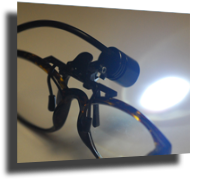
If you’ve got images of Star Trek’s Geordi LaForge, nerdy sidekicks in 80′s new-wave glasses a la John Hughes’ teen films, or the horrors of Total Recall memory augmentation burned into your retinas, then please, let those prejudiced views slide gently outside of your peripheral vision and consider that Virtual Reality glasses may actually be good and cheap enough these days to make them part of your patient comfort collection.
We want to heavily discourage dentists from spending thousands of dollars in wall or ceiling-mounted screens just so that patients can have something to look at besides your ugly mug while you’re fixing their teeth.
We’re not kidding.
The problem with screens like that, during dentistry, is that your head keeps getting in the way while your patient is trying to remain distracted.
There’s lots of other details that can end up complicating the whole thing, so instead of making this a gripe session about overbloated dental amenities, we’ve created a few tracks that will make it inexpensive and easy for you to start using VR glasses in your practice.
Track One: I want it all (hey yeah) and I want it now.

Bank commercials and Queen music aside, you want to have this up and running in your practice immediately. Here’s the easiest way to get everything you need. Tonight.
- Find your nearest Brookstone store and call them to make sure that they have a pair of these Vuzix™ iWear® AV230 XL Video Glasses ($200, plus tax) in stock. Go get ‘em, tiger.
- Look through your home collection of DVDs for those with the most appeal over a wide variety of patients. Don’t forget to grab a few of those TV series’ episodes for those shorter appointments as well.
- Steal your children’s portable DVD player that they don’t watch in the car anymore because they all have video iPods now.
- Buy a bunch of AA rechargable batteries and a recharger, plus alcohol wipes for infection control, and some sort of basket or nice box to keep it all together when moving it from room to room.
- Hand over the box of video goodies to your assistant, who will take it all from there.
Cost: Less than $300, unless you have to purchase your own DVD player (around $100) and videos.
Track Two: Keep it simple.
Efficiency is key to this next setup. You want something simple for your team to implement, that will work consistently, and appeal to the broadest spectrum of patients possible, from the 30 minute appointment to the full-mouth rehab. Everything can be purchased online and delivered to your office within the next week.
- Purchase these 3.5 ounce i-Theater Glasses ($179) direct from the manufacturer, i-O Display Systems. Be sure to add a set of hygienic earbud covers ($20 for 25 pairs) to your shopping cart. The rechargeable batteries are included, as is an AC power adapter.
Get the right kind of DVDs. This is so important. Nothing with a plot because your patients won’t ever want to leave, or worse yet, you’re such a generous dentist that you’ll let everyone take the movies home to finish and then it’s a pain to keep up a decent office library. We recommend instead that you purchase some relaxing, endlessly looping DVDvideos. Our favorites are the Waves Virtual Vacations™ ($10-20), but you may love the music and nature videos at TV Artscapes ($16 and up) just as much. Your patients will want to be in your chair just for the ambience. Seriously.- Oh yeah, you’ll need something to actually play those DVDs, and the ones with the their own screens make it easy for the assistant to get the system set up and running properly. Best Buy has the reliable Dynex® Portable DVD Player ($90) that seems to hold up to abuse and also holds a charge well. You can also simply keep it plugged in with its own AC adapter.
- The Box. It is a bit unprofessional to drag the gear and their cords and from operatory to operatory, so we like the Faux Leather Milk Cartons ($34 for two) from Target. They will stay looking good for many years, and are easy to keep clean.
Cost: $400-$500, shipping and tax included.
Track 3: That’s what I pay you for.
Many of the virtual reality companies directly appeal to dentists to buy their products for patient relaxation and entertainment. MedPED Media has gone several steps further and created an entire package called InChair TV that allows you to relax instead, and leave everything to them.
They’ve taken the exact same Vusix™ glasses seen in Track One above and added a Walkman-type portable DVD player.
But then comes the cool part.

InChair TV has gone all Netflix over dentists and not only are they offering a monthly mail-in “rental” system, but inserted between the shows on each DVD are these cute little dental cartoons that advertise services you provide, like teeth whitening and veneers. Each monthly package comes with three 90-minute disks (Kids, Teens, Adults) and all content has been licensed for use in a place of business.
Cost: $518 for the first year (includes all hardware, shipping, and handling), $120 each year thereafter. 10% off when purchasing 3 or more.
_____________
The VR glasses can take a little getting used to if a clinician normally works from the 12:00 position, but otherwise they don’t seem to get in the way much at all. We recommend starting out with one set for the entire practice for a month or so, and if patients and assistants alike rave about your latest high-tech gadget, then go out and get a boatload of them.
This is real proof that slapping an extra zero at the end of a price doesn’t always happen just because a product is branded for the dental market. When there’s a will to make a good product at a fair price, there’s a way.
By the way, did you mean Will & Grace? Good Will Hunting? Or perhaps you’re more into There Will Be Blood?
Maybe you need a pair of VR glasses just for yourself.
Chairside iPhone modding
Jul. 30th, 2008 | Posted by Trish Walraven
0 comments

Seriously tweaked patients are bringing their iPhone accessories to dentists nationwide.
The newest iPhone almost fits in the original iPhone dock. Almost, but… no. And MobileMe still doesn’t sync iTunes remotely, so users are either stuck with purchasing the 3G dock for $29 or sticking it to Apple by creatively finding ways to carve out the plastic edges of their old ones.
Desperate for something to drill on, dentists affected by the recent economic downturn have begun aiming their burs outside of their patients’ mouths and are now the prime facilitators of this dock modding craze.
The unnamed dentist pictured above performed the service as part of a “teeth fixin” deal. He is now questioning his decision to allow photography during the modification due to the large number of geeks currently hanging out in his reception area.
Tags: dental handpiece, iPhone