It was nice – the way that the HIPAA police looked the other way as we all figured out how to take care of each other during the worst of 2020 – but now that we’re over that hump, emergency usage is no longer an acceptable excuse for a security breach or a privacy violation.
Before you begin defending the use of cloud-based messaging in your office by explaining that you never share protected health information (PHI) there, or that you have other security measures in place to protect you from malware, or hope that the regulations only apply to large organizations and not small practices, know that there is one rule that is hard and fast when it comes to using communication tools in healthcare:
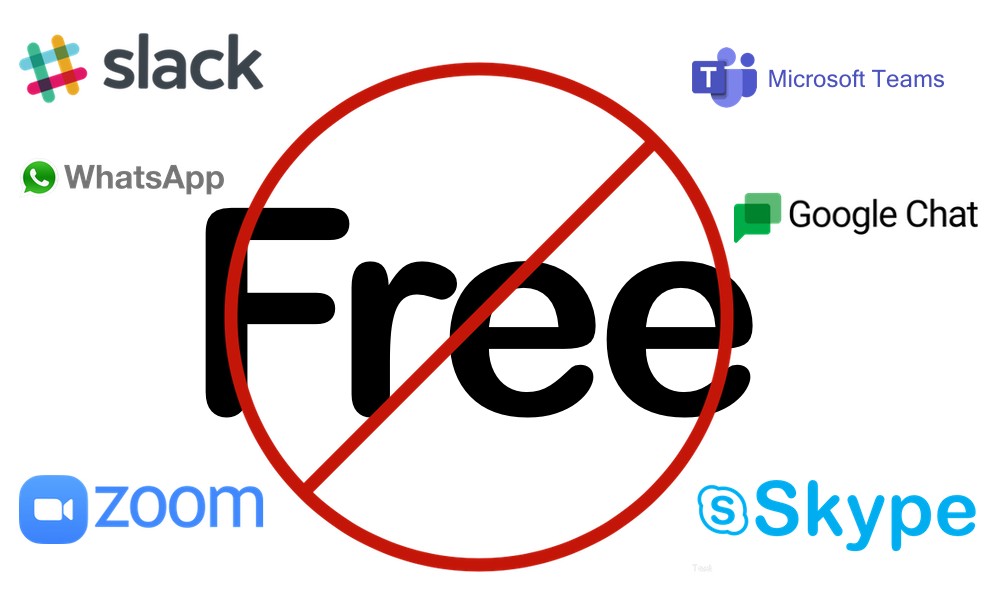
Only Paid Versions are HIPAA compliant.
This is because free versions do not include something called a Business Associate Agreement (BAA). A signed BAA is required in order for cloud-based systems to be HIPAA compliant. It’s not as though you’ll ever need to exercise an audit, but if one becomes necessary, this is the safeguard in place to allow you to have the ability to prove that a program such as Slack or Microsoft Teams was not the source of the privacy breach. Here’s the thing: even if you’ve never shared sensitive patient information on any platform, it doesn’t matter if you can’t prove it!
And that right there is the crux of the matter. While you may think this threat is a flaming fear spear, remember, data has value, and there are those out there who seek it out in order to further enrich themselves. We all have an obligation to follow the recommendations set for us professionally. After all, you’re a patient, too. Maybe not always where you work, but if you have a body, somewhere you’re a patient in an office’s system, and as such, you’d like to know that the practices you visit are managing all of their privacy matters correctly. If they’re no being careful with something simple like communications, it makes you wonder where else they’re making mistakes.
While this is not a comprehensive list, these are the most common communication platforms that dental practices (and healthcare practices in general!) may encounter when they’re looking for a way to collaborate with their team members, along with the current pricing that users should expect to pay in order to safely utilize the software anywhere in their business.
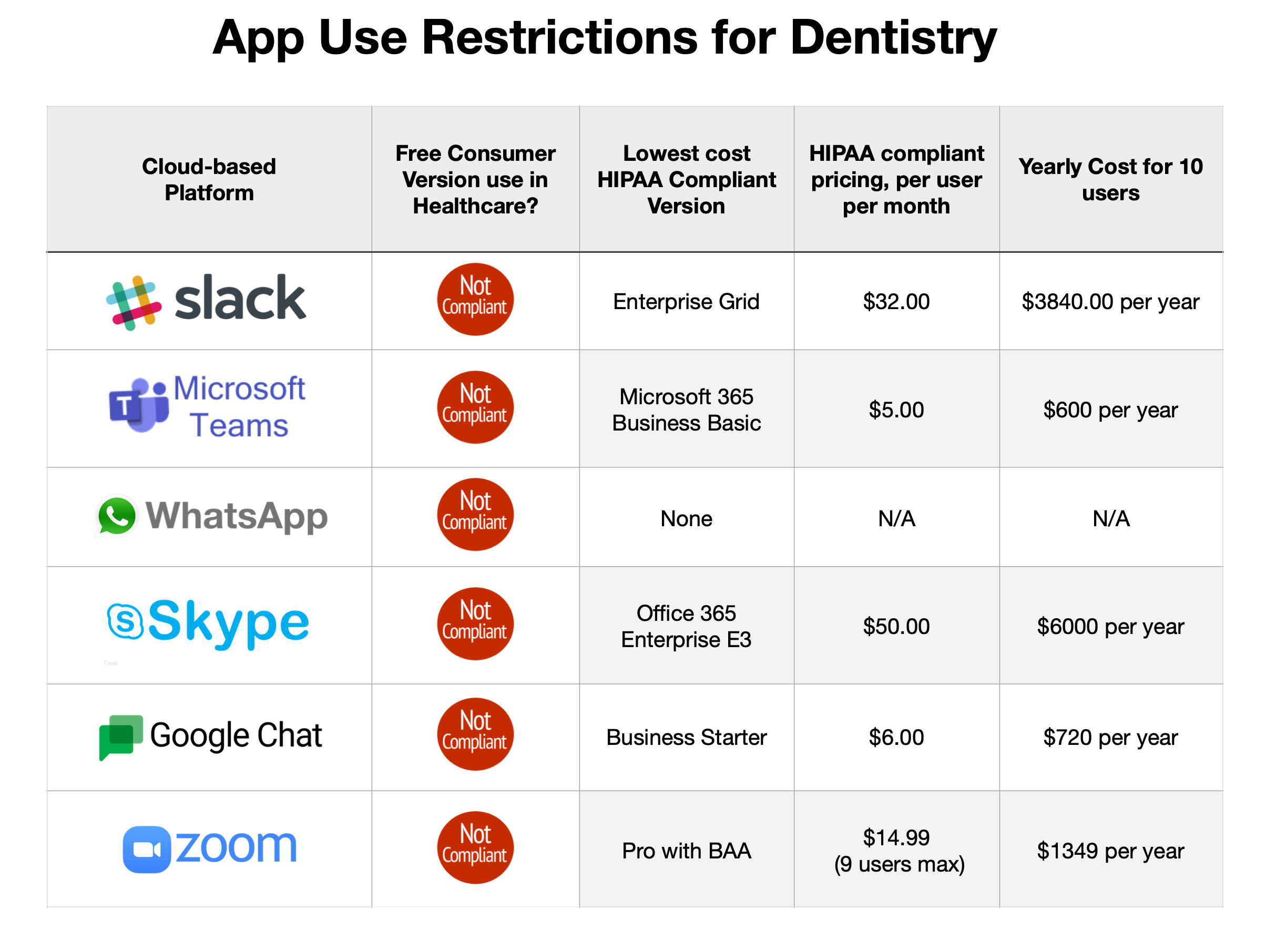
As you can see, it starts to get expensive, very quickly, if you’re dead set on using one of these platforms. They don’t even do a good job of getting the right person’s attention at the right time, especially if people in the office don’t just sit at one computer all day. You can get so much more for your money once you accept that healthcare businesses must have a paid subscription to use cloud-based communication. It’s just a matter of doing a simple Google search to find many other solutions more tailored to dentistry, at a lower cost per year, per user, per month, whatever. Making do with the programs above means that you end up paying for things that most team members aren’t even using, like Microsoft Word, or screen sharing, or video conferencing.
In case you’re still confused, here’s the concise answer for each of the free versions of these platforms.
- Is Slack HIPAA compliant? No.
- Is Microsoft Teams HIPAA compliant? No.
- Is WhatsApp HIPAA compliant? Never.
- Is Skype HIPAA compliant? No.
- Is Google Chat HIPAA compliant? No.
- Is Zoom HIPAA compliant? No.
And for final clarification, you can become HIPAA compliant in the use of five out of six of these applications, but only once you’ve paid a subscription fee per user, disengaged any non-compliant third party integrations (so many rules!) and received a signed business associate agreement.
Otherwise, it’s time to look elsewhere.

Resources:
HHS.gov Business Associate Agreements: https://www.hhs.gov/hipaa/for-professionals/covered-entities/sample-business-associate-agreement-provisions/index.html
Slack Enterprise Grid for Healthcare (otherwise NOT HIPAA compliant): https://slack.com/resources/why-use-slack/hipaa-compliant-collaboration-with-slack and https://slack.com/help/articles/360020685594-Slack-and-HIPAA
Microsoft Teams for Healthcare: https://www.microsoft.com/en-us/microsoft-365/compare-microsoft-365-enterprise-plans
Zoom for Healthcare: https://zoom.us/healthcare